
Home
Start the Day with a Clear Picture
Open FamilyGoal and see today’s events, routines, tasks, meals, and the people connected to them. The next useful action is already in view.
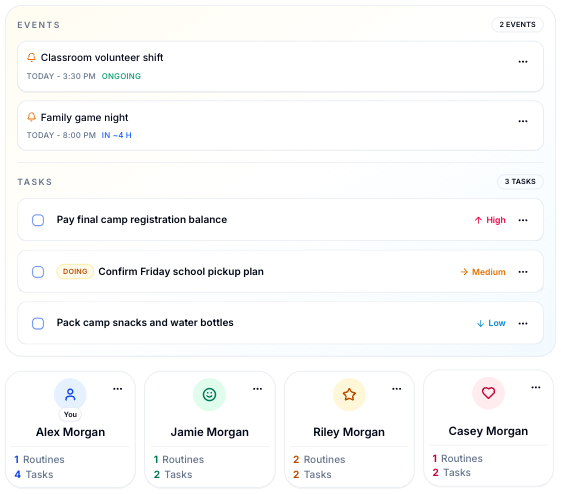
FamilyGoal puts the week’s plans, routines, meals, tasks, and household money in one shared space, so everyone can see what matters next.
Available today on the web, App Store, and Google Play.



One Shared Place
See today’s work, the week ahead, dinner plans, and useful household information without asking one person to keep it all in their head.
A useful view of the day, not another feed to clear.
A shared answer to what is happening and who is involved.
Actual balances, planned spending, and recurring transactions in one view.
Create, assign, and track household tasks and routines with due dates and notifications.
Recipes and a week of meals that connect naturally.
Give each family member access to the parts of FamilyGoal that fit them, while keeping finance details and other sensitive areas private.
Home
Open FamilyGoal and see today’s events, routines, tasks, meals, and the people connected to them. The next useful action is already in view.
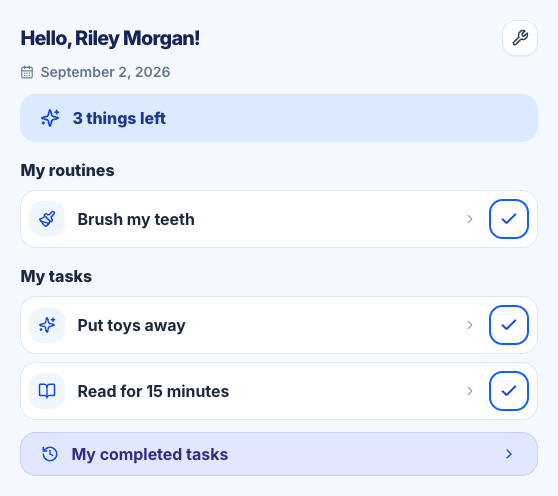
Kids
Kids View is designed exclusively for the mobile app. Configure it for a member to give children a simpler space where they can see assigned tasks and routines, mark them complete, and take part without opening the full FamilyGoal workspace.
Finances
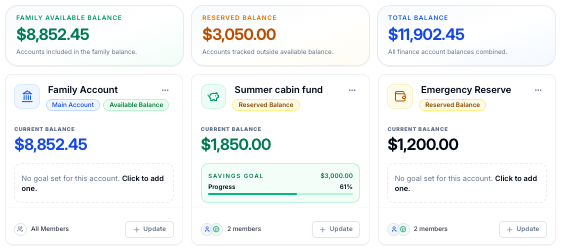
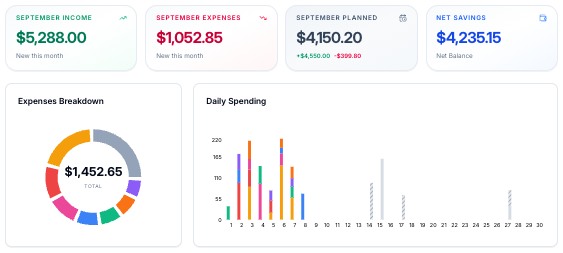
Check actual balances, budgets, categories, recent spending, planned one-off transactions, and recurring transactions in the same place where the family is already planning the week.
Routines
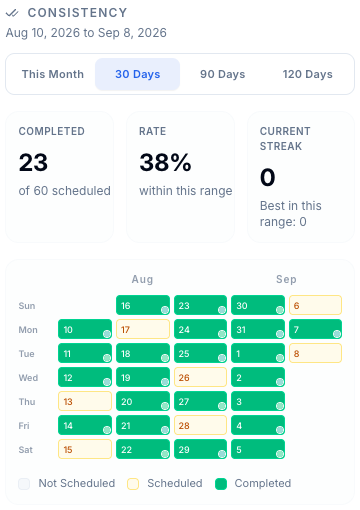
Set a clear rhythm, assign each job to one or more people, and see each member’s completion pattern without sending the same reminder every day.
Meals & Recipes
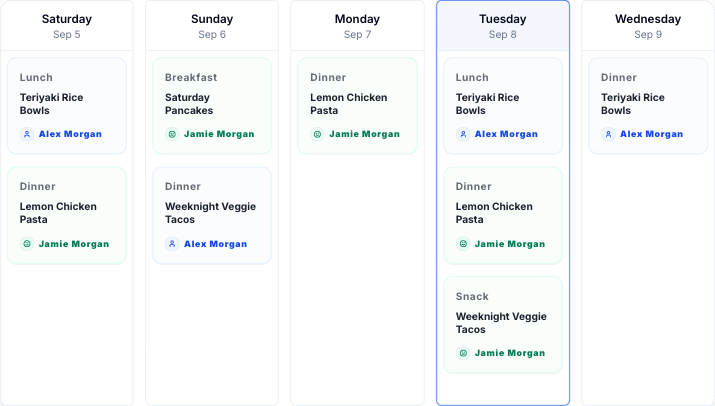
Plan meals across the week, keep family recipes close, and move from a dinner plan to the ingredients and instructions in a few taps.
How It Works
Start with one part of the week, make ownership clear, and add more only when it earns its place.
Step 01
Set up one shared place for the people, plans, and practical details your household returns to every day.
Step 02
Invite the right people, give work clear owners, and choose what each person can see or manage.
Step 03
Check today, plan ahead, and update routines, meals, money, and tasks from the same familiar place.
Simple Plans, Room to Grow
Choose by the number of spaces and people your household needs to manage. Prices below are shown in your local currency.
FAQ
Explore the demo if you want to look around first, or visit support for a question about your own household.
FamilyGoal brings calendars, tasks, routines, goals, meal planning, recipes, shopping, finances, notes, contacts, and custom lists into one shared space.
No. Start with the part of family life creating the most friction—often the calendar, routines, or meals—then add more when it is useful. The home screen stays valuable as your system grows.
Yes. The live demo is filled with realistic sample data, so you can explore the home screen, calendar, finances, routines, meals, recipes, and more before signing in.
FamilyGoal is available in browsers on phones, tablets, and computers. The iPhone and Android apps can be downloaded from the App Store and Google Play.
Plans, prices, and available offers are shown before purchase. Manage an iPhone subscription through the Apple Account that purchased it, or a web subscription through FamilyGoal’s billing portal.
Yes. FamilyGoal supports member-level permissions so the space owner can give people access to the areas and actions that make sense for them.
Less chasing, fewer forgotten details, and a clearer sense of what comes next for everyone in the family.
Available today on the web, App Store, and Google Play.